Cuibit publishes insights from shipped delivery work across web, WordPress, AI and mobile. Articles are written for real buying and implementation decisions, then updated as the stack or the advice changes.
Cuibit WordPress Performance
WordPress and WooCommerce delivery team
The Cuibit team focused on custom WordPress builds, WooCommerce systems, Core Web Vitals and long-term maintainability.
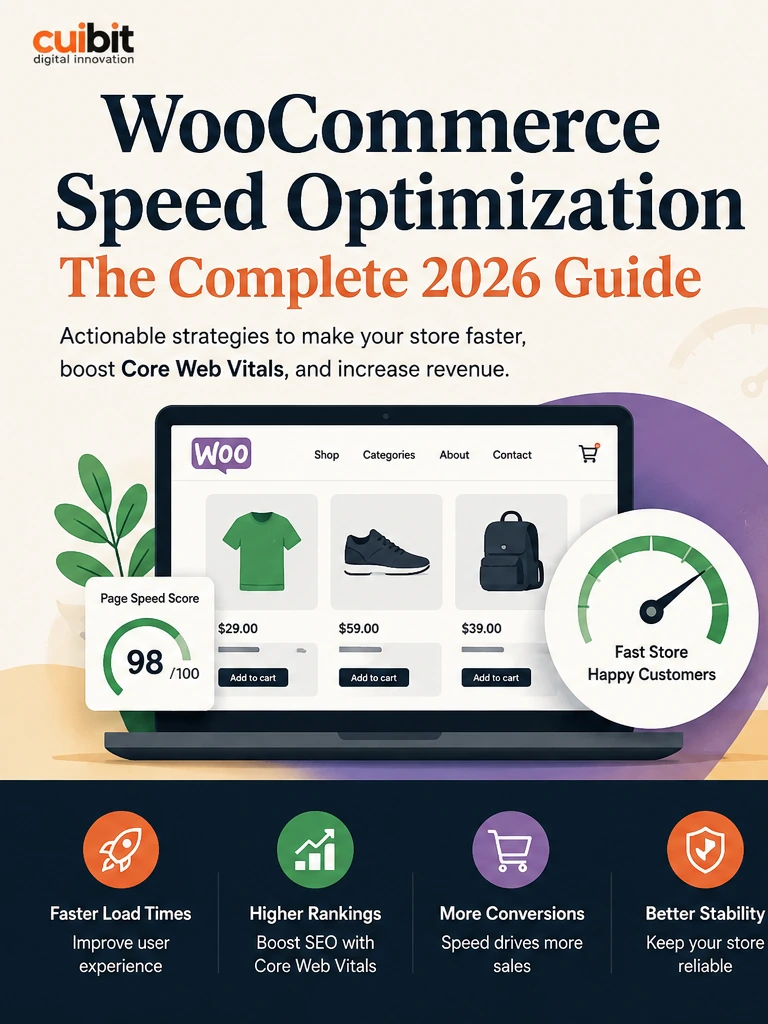
WooCommerce Speed Optimization in 2026: Core Web Vitals, AI Search, and Store Revenue
Key takeaways
- WooCommerce speed optimization is now a revenue, SEO, and AI-search readiness issue, not only a technical maintenance task.
- The biggest store performance wins usually come from template-level audits, better hosting, object caching, image governance, plugin cleanup, checkout testing, and stronger data structure.
- WooCommerce 10.7 highlighted performance, analytics, Store API, and database improvements, while the WooCommerce 10.8 beta is already in test ahead of release. That makes this a practical moment to review store architecture rather than waiting for the next urgent issue.
- Core Web Vitals still matter, but ecommerce teams should connect them to conversion, checkout reliability, paid traffic efficiency, product discovery, and search visibility.
- AI search and agentic commerce increase the value of clean product data, crawlable pages, structured content, reliable policies, and fast templates.
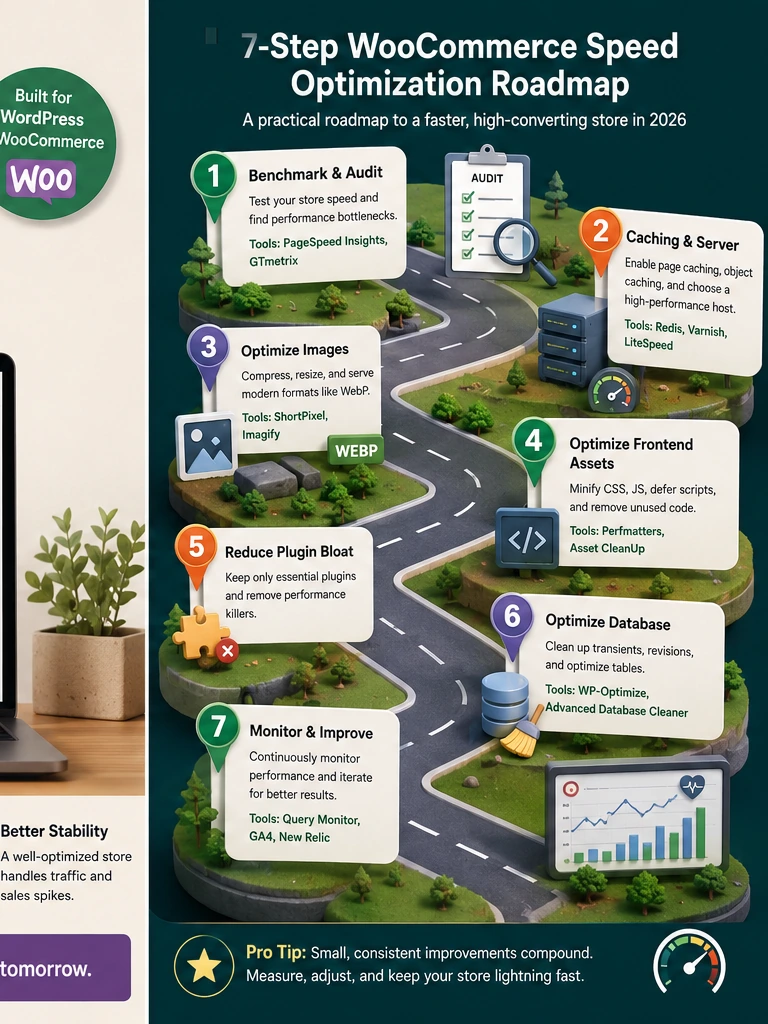
- A strong optimization plan should be staged: audit, fix infrastructure, simplify plugins, optimize media, control scripts, clean product data, test checkout, monitor results, and repeat.
Why WooCommerce performance matters now
WooCommerce remains one of the most flexible ecommerce systems for businesses that want ownership, WordPress content control, custom product structures, and a store that can grow beyond a basic template. That flexibility is valuable. It is also why WooCommerce performance varies so widely from one business to another.
Two stores can run the same WooCommerce version and produce completely different outcomes. One can load fast, pass Core Web Vitals, handle campaigns, and convert mobile traffic well. The other can become slow because of heavy theme output, overlapping plugins, poor hosting, oversized images, database clutter, and uncontrolled third-party scripts.
In 2026, that difference is more expensive. Search systems are evaluating page experience, structured data, helpful content, and crawl efficiency in more sophisticated ways. AI search experiences and commerce assistants are putting more pressure on clear product data and reliable store information. Paid ads are more competitive, so every slow landing page wastes budget faster. Customers expect product pages, filters, carts, and checkout flows to respond quickly on mobile.
This is why WooCommerce speed optimization should be treated as business infrastructure. A faster store is not only nicer to use. It can support stronger organic visibility, better product discovery, more efficient campaigns, and higher checkout confidence. Cuibit’s work across WordPress development services, WooCommerce development, and WordPress speed optimization connects these issues because speed, content, checkout, and SEO are now part of the same system.
The mistake: optimizing the homepage only
Most store owners start with the homepage because it is visible. That is understandable, but it is not enough. Ecommerce revenue often depends more on product detail pages, category pages, internal search, cart, checkout, comparison content, and landing pages. A homepage can score well while the pages that actually sell products are slow.
A serious WooCommerce speed audit should test templates, not just individual URLs. The minimum set should include the homepage, one category page, one simple product page, one variable product page, internal search, cart, checkout, account login, and a long-form content page. For stores with subscriptions, bundles, booking products, memberships, or B2B pricing, those templates need separate testing.
For each template, record LCP, INP, CLS, TTFB, page weight, JavaScript weight, CSS weight, image weight, database query behavior, third-party scripts, and conversion role. This turns a vague “the site is slow” complaint into a prioritized engineering backlog.
The key question is not “Which plugin can raise our score fastest?” The better question is “Which bottleneck is hurting revenue, search visibility, or customer trust the most?”
Core Web Vitals are still useful, but they are not the whole story
Core Web Vitals remain useful because they connect technical performance with user experience. Largest Contentful Paint helps teams understand whether the main content appears quickly. Interaction to Next Paint shows whether the page responds when users interact. Cumulative Layout Shift shows whether the page is visually stable.
For WooCommerce, these metrics often reveal real business problems. A slow product hero image can hurt LCP. A heavy review widget, filter system, or product gallery can hurt INP. Late-loading banners, fonts, and product media can hurt CLS. But the metrics should not be treated in isolation.
A store can technically pass a lab score and still lose conversions because checkout feels risky, shipping appears too late, filters are confusing, or product information is weak. Performance should create better conditions for conversion, not replace merchandising, UX, and content quality.
Cuibit often combines performance work with broader web development services because technical changes need to support the user journey. A faster store should also be easier to understand, easier to crawl, and easier to buy from.
Step 1: fix hosting, PHP, and object caching first
WooCommerce is dynamic. Carts, sessions, customer accounts, coupons, inventory, shipping calculations, subscriptions, and order workflows all require server-side work. Basic page caching helps anonymous visitors, but it does not solve every store performance issue.
Start with hosting. A serious WooCommerce store should run on infrastructure that provides modern PHP, OPcache, enough CPU and memory for traffic spikes, fast database performance, object caching, CDN support, and staging environments. Shared hosting can work for small stores, but it often becomes a bottleneck as product count, traffic, and plugin complexity grow.
Persistent object caching is especially important for dynamic stores because it reduces repeated database work. Redis or equivalent object caching can help WooCommerce avoid repeated expensive lookups. However, object caching must be configured carefully. Bad caching rules can create stale data, checkout problems, or admin confusion.
Also review PHP version support, memory limits, worker configuration, background jobs, and cron behavior. A store that loads fast for anonymous traffic but processes orders slowly still has a performance problem.
Step 2: clean the database without breaking operations
WooCommerce stores collect data constantly. Orders, sessions, transients, scheduled actions, revisions, logs, analytics records, failed webhooks, abandoned carts, and plugin-specific tables can grow over time. That growth can slow the admin area, reporting, checkout-related queries, and background jobs.
Database cleanup should never be random. Start with a backup and staging copy. Identify table sizes, autoloaded options, scheduled action backlog, expired transients, old revisions, and plugin-owned tables. Confirm which data is needed for accounting, analytics, compliance, support, or subscription history before deleting anything.
For stores using High-Performance Order Storage, review whether plugins are compatible and whether order queries are performing as expected. WooCommerce performance updates around HPOS and API query reductions are useful, but they work best when the store’s plugin stack and data model are healthy.
The goal is not to make the database artificially small. The goal is to make it predictable, maintainable, and fast enough for real ecommerce work.
Step 3: reduce plugin overlap before adding another tool
The number of plugins is less important than plugin quality and overlap. A store can run many well-built plugins safely, or it can run a few heavy plugins badly. The biggest problems usually come from duplicated responsibilities.
Common overlaps include multiple SEO plugins, several analytics scripts, redundant popup systems, duplicate review widgets, multiple optimization plugins, abandoned marketing tools, and old custom snippets that no longer have owners. Each one may load scripts, add database queries, inject markup, or change checkout behavior.
Create a plugin register with owner, purpose, affected pages, scripts loaded, database tables created, revenue value, replacement options, and removal risk. Then classify every plugin as keep, replace, consolidate, remove, or rebuild as custom code.
Some functionality belongs in a plugin. Some belongs in a lightweight custom plugin. Some should be removed. Some should be replaced by theme-level or backend logic. This is where WordPress maintenance and support becomes more than updates. It becomes governance.
Step 4: optimize product and category images as an operating process
Images are usually the largest assets on WooCommerce stores. Product photos, lifestyle banners, category thumbnails, promotional graphics, review images, and blog visuals can quietly destroy mobile performance.
A modern image process should include WebP or AVIF where appropriate, responsive sizes, compression before upload, reserved dimensions to prevent layout shift, and lazy loading below the fold. The main product image and critical above-the-fold media should not be lazy-loaded in a way that delays the first meaningful view.
Product teams should also create image rules. Every new product should have correct dimensions, clean filenames, useful alt text, and optimized file size before it goes live. This supports performance and product discovery. Search and AI systems benefit from structured, consistent media as much as customers do.
If a store relies on page builders, image discipline becomes even more important. It is easy for marketing teams to upload beautiful but oversized assets into a landing page. Without governance, every campaign can make the site heavier.
Step 5: control JavaScript where shoppers actually buy
JavaScript affects interaction. WooCommerce stores often load analytics, pixels, chat widgets, review apps, sliders, filters, consent tools, popups, personalization scripts, heatmaps, A/B tests, and tracking systems. Some are essential. Many are not essential on every page.
Review scripts by template. A chat widget may not need to load instantly on every product page. A heatmap may be useful during a specific study but unnecessary all year. An upsell script may help cart value but hurt product-page responsiveness. A marketing pixel may be duplicated by another tag manager.
The goal is to make script loading intentional. Defer non-critical scripts, remove duplicates, load features only where needed, and verify that checkout remains stable. For INP, heavy JavaScript is one of the most common issues. Cutting unnecessary script work can improve both performance and user trust.
Step 6: prepare WooCommerce for AI search and agentic commerce
AI search and agentic commerce are changing how ecommerce information gets interpreted. Stores need clean product data, structured content, clear policies, and reliable technical signals. AI systems cannot confidently summarize or recommend products if the store’s information is inconsistent.
Start with product architecture. Product titles should be clear. Attributes should be normalized. Variants should be logical. Descriptions should answer actual buyer questions. Stock, shipping, refunds, and tax information should be reliable. Category pages should explain buying intent rather than showing only a product grid.
AI can help with audits, classification, support workflows, and content gap analysis. But it works best when the underlying data is clean. Cuibit’s AI development services and LLM integration services can support workflows such as product data review, internal support assistants, store health dashboards, and content QA. The practical starting point is usually operational, not flashy.
Step 7: use RAG where accuracy matters
If a store adds an AI assistant, it should not guess about shipping, sizing, returns, compatibility, warranties, or order rules. A generic chatbot can damage trust. A retrieval-based assistant connected to approved store knowledge is safer.
That is where RAG development becomes useful. A retrieval-augmented workflow can ground responses in curated documents, product data, policy pages, support macros, size guides, warranty terms, and order-process documentation.
The same performance and data principles still apply. If store content is outdated, contradictory, or buried in unstructured plugin output, AI workflows will struggle. Clean content architecture and store speed are foundations for trustworthy automation.
Step 8: connect speed work to checkout conversion
Checkout is where performance becomes revenue. A fast homepage does not matter if cart and checkout are slow, confusing, or unstable. Test add-to-cart behavior, coupon fields, shipping calculations, payment methods, address validation, tax rules, confirmation emails, and order creation.
Mobile checkout deserves special attention. Form fields should be easy to use. Payment options should load reliably. Shipping costs should not surprise the user late in the process. Trust signals should be visible but not distracting. Upsells should not interrupt the main purchase path.
A speed project should report both technical metrics and business outcomes. Did product-page LCP improve? Did mobile add-to-cart rate increase? Did checkout errors drop? Did paid traffic conversion improve? Did Search Console show better coverage for product pages? Those are the questions that turn optimization from a technical exercise into a growth project.
Step 9: monitor performance after campaigns and updates
WooCommerce performance decays gradually. Marketing adds scripts. Designers add animation. Product teams upload oversized images. Agencies install tracking. Plugins update. Seasonal campaigns launch. A store can be clean in May and heavy by September.
Create a monitoring rhythm. Check Core Web Vitals, page weight, server response, checkout errors, failed orders, scheduled actions, plugin updates, and Search Console coverage every month. Run deeper audits before major campaigns. Use staging for plugin updates and theme changes. Document who owns every major script and integration.
A good maintenance system prevents emergency optimization. It keeps the store healthy as the business changes.
Step 10: decide when custom development is needed
Not every WooCommerce requirement should be solved with another plugin. Complex pricing, B2B workflows, ERP integration, custom product builders, headless product discovery, advanced subscriptions, or marketplace logic may need custom development.
Custom work should simplify operations, not create fragile code. The best projects start with a clear business process, data model, and maintenance plan. If the store needs a customer app, internal portal, or cross-platform buying workflow, Cuibit can align ecommerce architecture with broader custom web development and project discovery.
Practical 2026 WooCommerce speed checklist
Use this checklist before beginning major optimization work:
- Test the templates that produce revenue.
- Fix hosting and object caching before chasing minor frontend tweaks.
- Audit plugins by business function, not only count.
- Clean database growth with backups and staging.
- Optimize product images before upload.
- Control JavaScript on product, cart, and checkout pages.
- Validate product schema and category structure.
- Improve product data for AI search and shopping assistants.
- Connect speed work to conversion metrics.
- Monitor after every major campaign or update.
Editorial conclusion
WooCommerce speed optimization in 2026 is not about chasing a perfect score. It is about building a store that customers, search systems, and AI discovery layers can use with confidence.
The strongest stores will be fast, structured, stable, and easier to operate. They will have clean product data, disciplined plugins, reliable hosting, efficient templates, and checkout flows that feel trustworthy on mobile. That kind of work is less glamorous than a redesign, but it is usually more valuable.
For growing ecommerce businesses, performance is now part of the revenue system. Treat it that way.
Implementation note for teams with active campaigns
Do not schedule a major WooCommerce performance release on the same day as a paid campaign, sale, or email launch. Speed work can touch caching, product templates, plugin loading, images, checkout scripts, and database cleanup. Those changes are valuable, but they deserve a calm deployment window. Run the work in staging, capture before-and-after metrics, test the checkout path, and only then deploy while someone is watching logs and orders.
For stores with frequent promotions, create a lightweight release checklist. Confirm that tracking still fires, product images still load, coupon rules work, cart totals are correct, and payment methods remain visible. This discipline prevents optimization work from becoming another source of operational risk. It also gives marketing, support, and engineering the same view of what changed and why the change matters for revenue today.
Need this advice turned into a real delivery plan?
We can review your current stack, pressure-test the tradeoffs in this guide and turn it into a scoped implementation plan for your team.